Reducing meeting noise

Recipe to reduce your Outlook meeting spam messages:
– Outlook -> Settings -> add a new Rule -> Accepted:
– Type: Event response: Subject includes: “Accepted:”
– Mark as read + Move to: Archive:
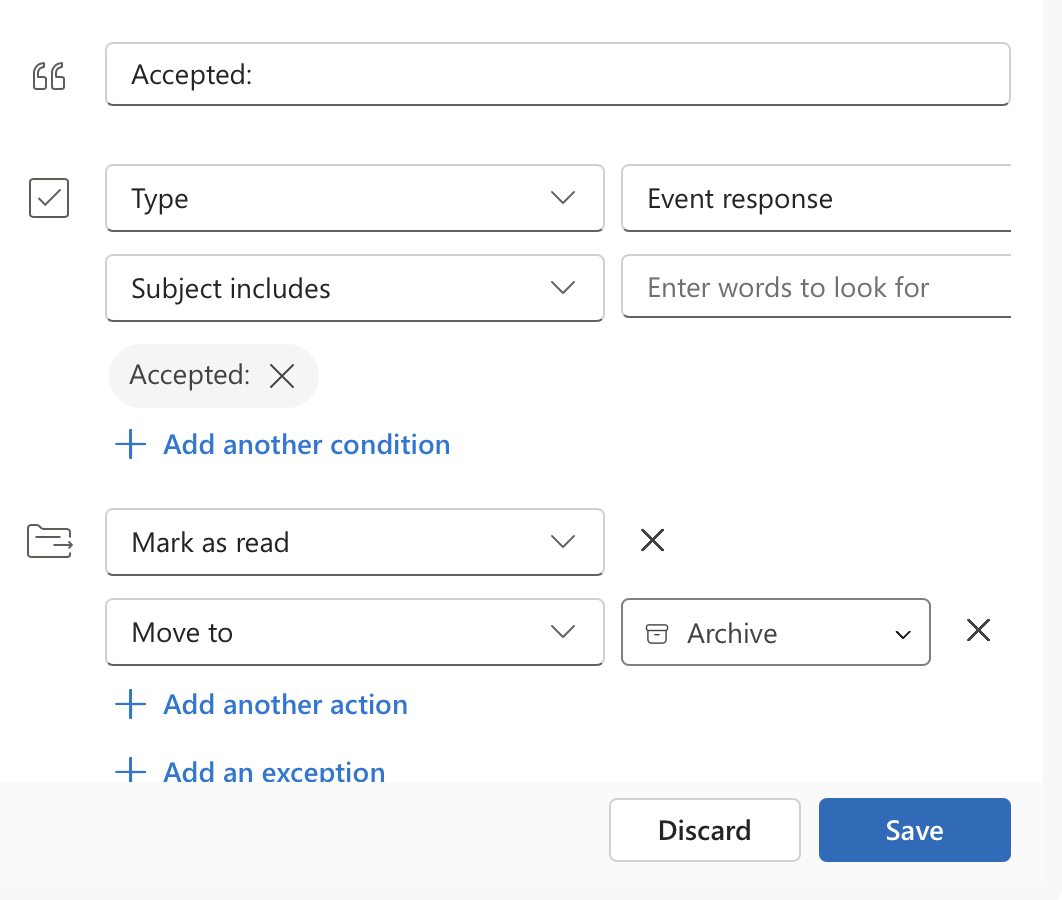
An image of the setting in Outlook adding a rule to Archive Meeting Accepted messages

For my German colleagues, also add 2 rules for “Zugesagt:” and “Angenommen:” und / oder französisch etc.
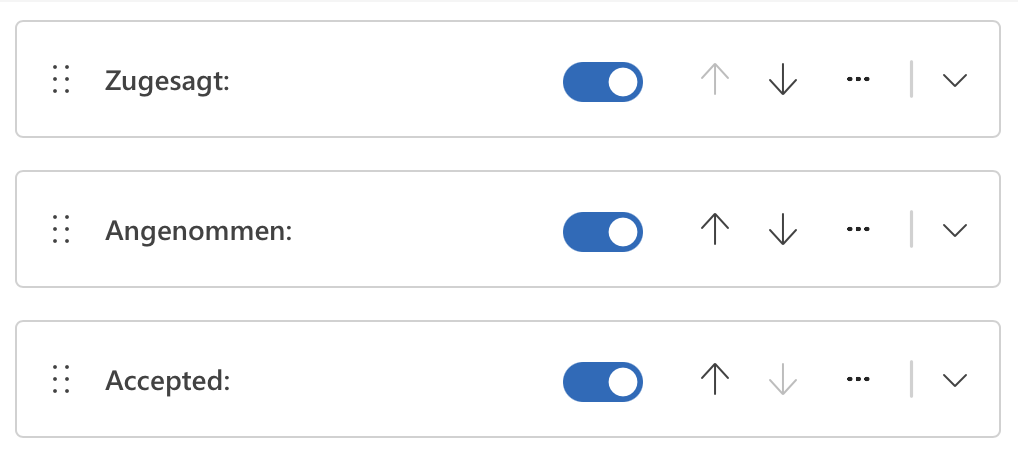
An image of the setting in Outlook with added rules for Zugesagt: and Angenommen:

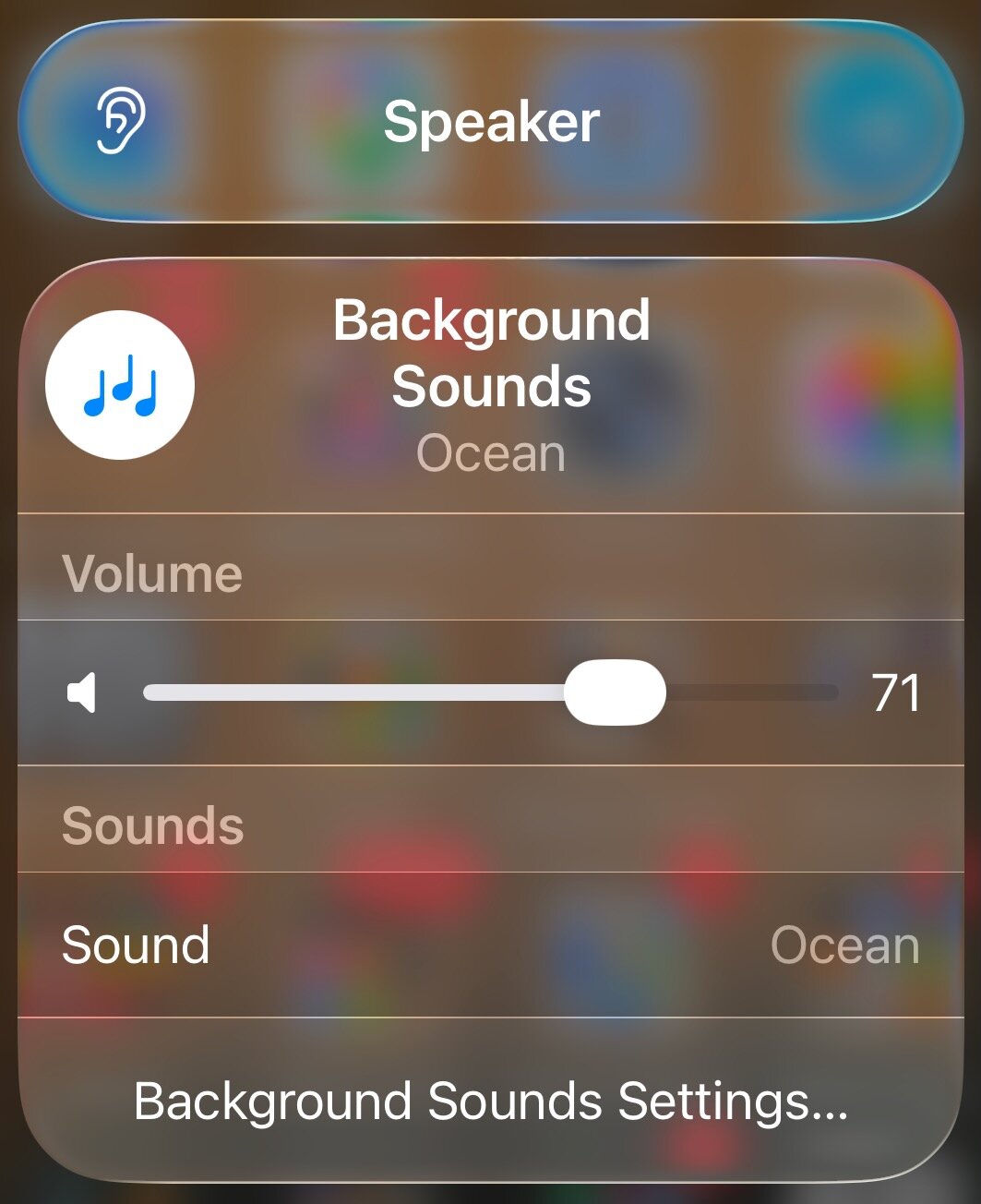
On OS X 26 and iOS 26 -> Control Center -> Edit and add a control (search Hearing Accessibility): Background Sound
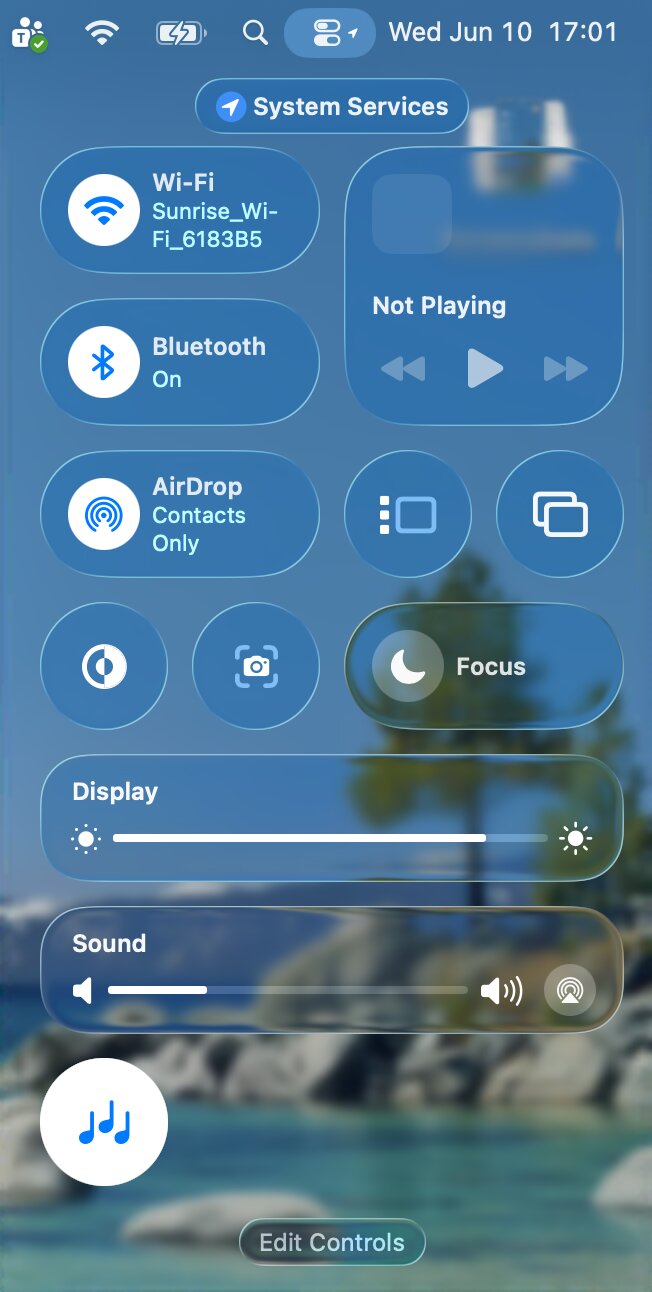
OS X 26 Control Center with Background Sounds active
iOS26 Control Center with Background Sounds Ocean active

Leave a Reply

Your email address will not be published. Required fields are marked *

This site uses Akismet to reduce spam. Learn how your comment data is processed.